


CV checks
Manual CV reviews take time that your team doesn’t have. Zinc’s automated process matches CV details with references and employment verifications to give you peace of mind and stay confident in your hiring process.

Spot mismatches quickly, even when hiring at scale

Automatically pull CVs through ATS or HRIS integrations

95.15% accuracy rate in matching CV roles to verified references

What you need to know
Turnaround times
Available in
195 countries
Including
UK
USA
India
Germany
Australia
and more






Hire confidently and build a workforce you can trust.

Spot discrepancies early
More than half of job applicants admit to embellishing parts of their CV, giving you a distorted picture of their experience, accomplishments, and integrity. Combined with employment verification, CV checks help you hire confidently.

Prevent business fraud
In serious cases, misrepresentations on candidate CVs can lead to business fraud, lost productivity, and even legal exposure. CV checks help you build a trusted workforce and protect your business from risk.

Skip manual work
Let’s be honest: line-by-line CV comparison takes time you don’t have. Automating your CV checks helps you confidently hire at scale, takes away busywork, and still leaves you in control of the final hiring decision.

See it in action
Book a demo and choose a time to speak with one of our experts about a custom solution for your business.

2
days

Average turnaround time

20
+
Integrated ATS and HRIS platforms

95.15
%
Matching accuracy rate
Fast, automated CV checks to speed up your approvals and strengthen compliance.
Less back and forth, more answers
Stronger “fit and proper” compliance
Integrated with your ATS
Automated CV checks for fewer errors



Work, revolutionised.
“I can’t shout about Zinc enough, because it really has revolutionised the way we work. The level of time and effort we need to put in has dramatically reduced.”

Get a line-by-line verification of candidate CVs, without any extra manual work.
Step one
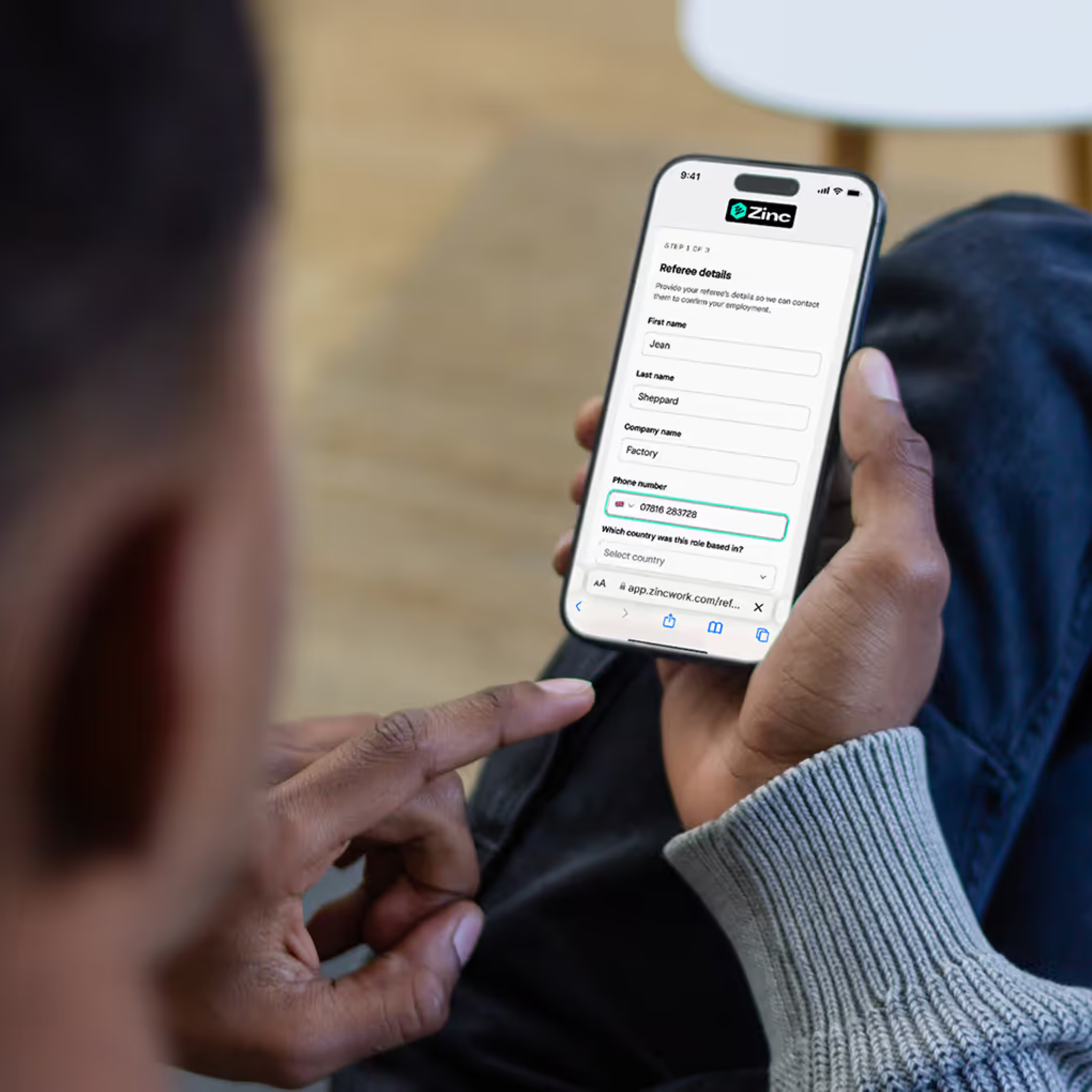
We integrate directly with major ATS platforms, including Greenhouse, Lever, Workday, and Teamtailor, to pull in CVs automatically. You can also upload PDFs or Word documents manually, but there’s no tedious re-typing required — we promise.
Step two
Zinc pulls out past employers, job titles, and employment dates from the CV and compares them against verified reference and employment verification data. Zinc’s automation reduces false-positive matches to return the most accurate results, and our matching accuracy currently sits at 95.15% in internal audits.
Step three
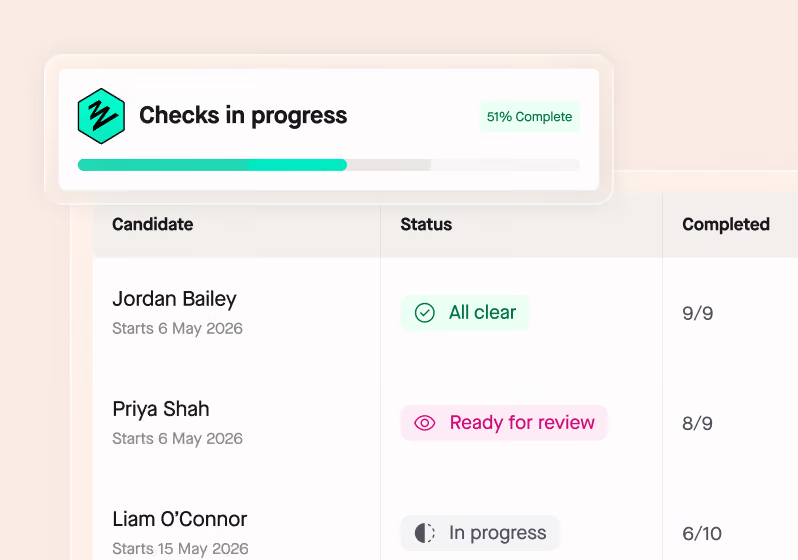
Where we detect a mismatch, candidates are prompted to explain or edit the discrepancy before the final report is generated. You get a clear reconciliation summary, so you get more intel without the back and forth delays of emailing your candidates directly.


Integrations
Background checks, integrated
Zinc connects directly with your ATS or HRIS at no additional cost. Send checks, get results, and store reports without leaving your preferred platform.
Why businesses love using Zinc



%%An intuitive, easy platform%% with support that's far quicker than other providers. The answers are always reliable, especially when we're dealing with different countries.

%%The candidate experience is excellent.%% Integration was straightforward, the pricing is among the best on the market, and support is quick and consistently helpful.

%%It automates the screening of new employees%% and integrates well with our ATS and HRIS. The initial setup was super easy and we're really happy with the product.
Onboarding takes just a few minutes and %%running checks for international contractors is seamless%%. The pay-per-use model is a huge plus for a small company like ours.
%%It has made my role, and my colleagues' day to day, much easier and more efficient%%, while significantly improving the overall experience for our candidates.
Checks and paperwork sync automatically with our recruitment and HR systems, %%saving us so much time%% not having to check multiple systems. The support teams are always incredibly helpful.
For teams of every size
Flexible background checks
Whether you’re hiring a little or a lot.

Under 20 hires annually
Pay As You Grow
Get started in minutes. Our Pay As You Grow plan is built for lower hiring volumes — a flat rate per check, with no hidden costs or setup fees.

Start checking in minutes, no setup needed
Flat rate per check, no hidden fees
Pay only for what you use
20+ hires annually
Custom solutions
For larger volumes, our experts build a package around your needs. Flexible with your hiring and never expires, with integrations, setup, training, and support all included free.
A custom package built around your hiring
Credit pool that never expires or rolls over
Integrations, setup, and training included free
More from Zinc
Check out more resources, straight from our experts



Start screening in days, not weeks
Combine this check with right to work, references, criminal records and more, across 195 countries, in a single candidate journey.
What does a CV check verify for employers?
Zinc's CV check cross-references three things from a candidate's CV: past employers, job titles, and dates of employment. These are extracted automatically from an uploaded or ATS-pulled CV and checked against the candidate's verified references and HMRC employment data.
Any discrepancy gets flagged in the report with the specific detail, and the candidate is prompted to explain or edit it before the final report is generated. Every action they take is logged with a timestamp.
How accurate is Zinc’s automated CV verification?
In research, Zinc's platform correctly matched and analysed 95.15% of roles listed on candidate CVs against verified reference data. The small percentage of non-matches are typically minor, things like a candidate describing a working holiday as a job, rather than significant misrepresentation. Zinc uses smart company name normalisation to reduce false-positive mismatches from minor formatting differences.
Every change, comment, or confirmed match is logged in the candidate's report with a timestamp. The final hiring decision always stays with you. Zinc gives you the reconciled picture; you make the call.
I don’t want to re-enter information. Does Zinc integrate with my ATS to pull CVs automatically?
Yes. Zinc integrates directly with Greenhouse, Lever, Workday, Teamtailor, and other common ATSs to pull candidate CVs automatically in PDF or Word format. No manual uploads needed. The integration is free to set up, and results go straight back to your ATS or Zinc dashboard alongside the rest of the candidate's screening data.
See a full list of Zinc’s integrations here

What happens in Zinc when a CV check flags a mismatch?
When Zinc spots a discrepancy between a candidate's CV and their verified reference or employment data, the candidate is automatically prompted to review and explain it. They can confirm the CV entry is correct, edit it, or give a reason. They have to respond before the check completes. Everything they do is logged with a timestamp.
Once the candidate has responded, your team gets a clear reconciliation summary in the Zinc dashboard: the original CV entry, the verified data, and the candidate's explanation, side by side. Minor things, like date formatting differences or company name variations, can occasionally trigger a flag. The summary gives you the context to assess whether a discrepancy actually matters before making a decision.